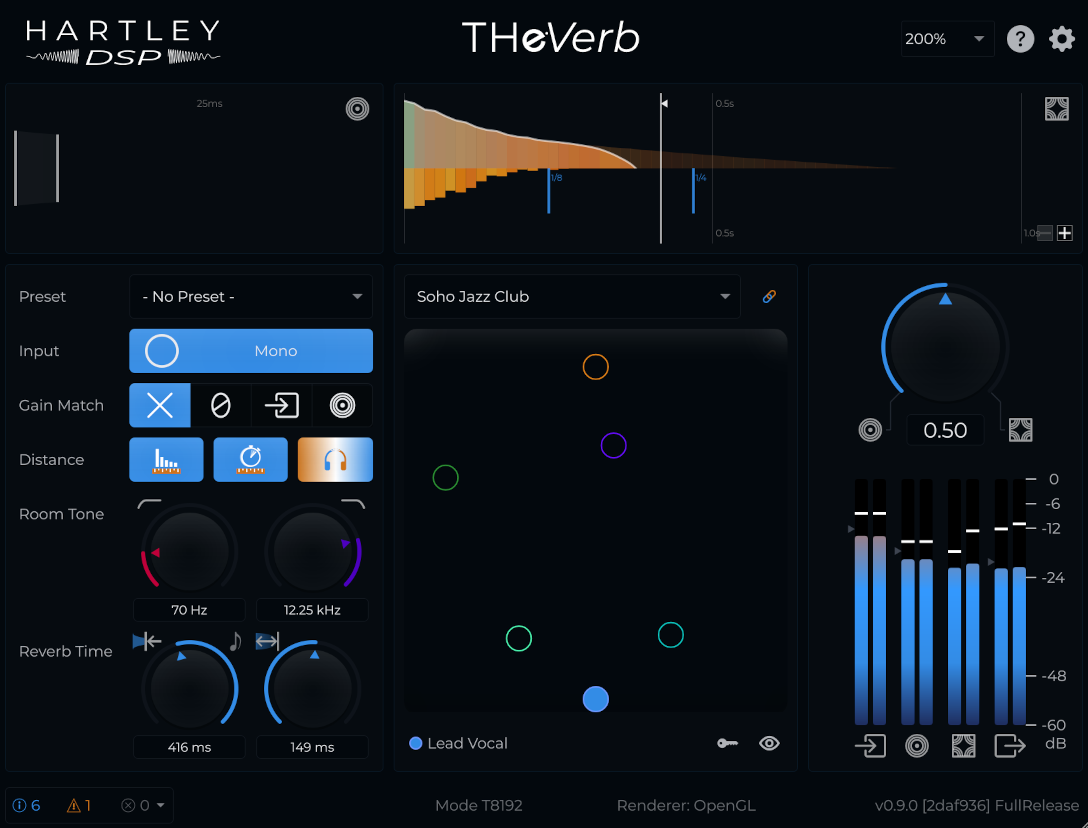
What is THeVerb?
Recording live players in a good room is not always an option. Even when it is, it can be difficult, expensive or creatively limiting. THeVerb brings the room to the recording instead.
Conventional reverbs leave the dry signal intact and treat the sound source as a fixed point in space. THeVerb lets you place the source freely in a 2D sound stage, generating the spatial cues a listener would hear from that location, processing the dry signal to add binaural delays and level changes, and convolving the audio with a room response that depends on the source's position. To do this, it generates and blends two signals:
- The direct signal - the sound travelling straight from source to listener. In THeVerb, spatial cues come from sub-millisecond differences in timing between left and right ears, and realistic attenuation with distance.
- The room signal - the sound reflected from the walls, floor and ceiling. The duration and evolving tone of the reverberation reflect the unique dimensions and surface materials of each room and, in THeVerb, the source location.
Because of the way both components depend on and reinforce perception of the sound at the same location, THeVerb provides a uniquely coherent and immersive spatial experience.

It's flexible: mixing the direct and room signals gives you a range of sounds from a dry but tightly-localized sound to one that is fully ambient. You can also toggle the different spatial cues in the direct signal and tweak the tone and timing of the reverb.
Key features
Rooms
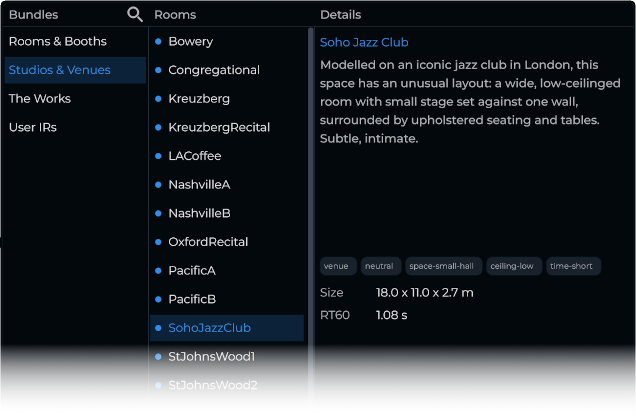
Choose the environment that suits your track: whether you are looking for an almost subliminal ambience to tie together disparate elements of a mix, a striking long and lush reverb to underscore a performance, or the acoustics of a live venue to match its energy, THeVerb gives you the space you need, and in every case it adds a sense of depth and realism.
Out of the box, a carefully curated library provides 45 rooms (spatial impulse responses) selected to give you a range of useful options in three bundles:
- Studios & Venues - 15 celebrated recording and performance spaces inspired by famous real-world locations.
- Rooms & Booths - 15 practical, versatile and varied spaces from dry booths to live rooms.
- The Works - 15 characterful and distinctive spaces for more creative options.
The library is extensible with free and premium expansion bundles planned for the future.
Spatial positioning
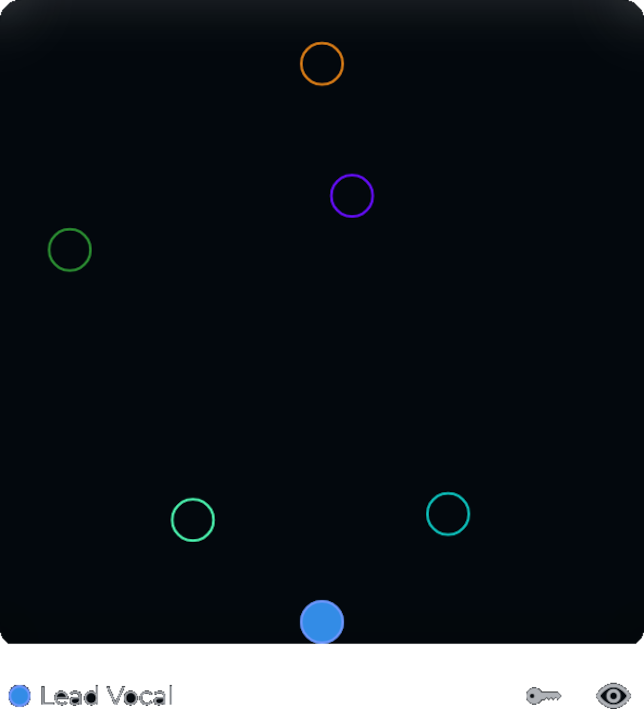
The XY pad lets you place a source in the room and hear striking, realistic effects of direction and distance as it shifts across the space, together with subtle changes in ambience in different parts of the room.
You can move the source in real time, or automate its position to create movement across the stage.

One space, many players
THeVerb is aware of other instances in the project. You can optionally sync instances to ensure that they share the same space and display the locations occupied by other tracks (all named and coloured according to the project's track information where your DAW makes it available).
Presets
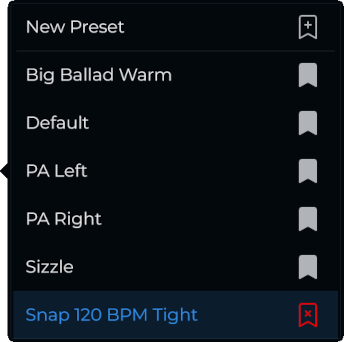
The preset system lets you store and recall positions, rooms and other settings, to set the stage quickly and efficiently.
Different parameter groups can be combined independently - one preset can store a source location, another might include the room, and a third could be restricted to tone and reverb time modifications. Or store the entire configuration to use in another project.
Create a collection that works for your workflow.
Shape the sound
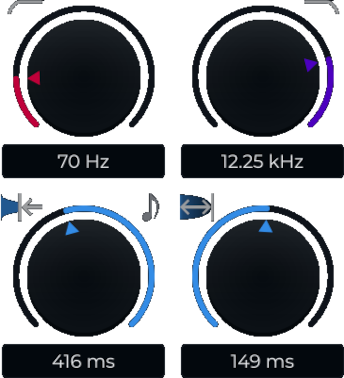
Fine-tune the tone and timing of your reverb: deploy high- and low-cut filters; trim the reverb tail (with absolute millisecond and musical duration options) and shape it to end abruptly (for a "gated" sound) or smoothly (more natural) using the fade time controls.
Adjust the direct/room balance for more or less ambience and spatial precision.
Convert your input signal to mono for realism and to avoid conflicting spatial cues, or pass stereo for creative effects.
Toggle the different psychoacoustic spatial cues (binaural delays, distance attenuation, and arrival delay), isolate those you want and control those you don't.
Preserve the balance of your mix, compensating for effects of distance: you can match the output level to the input with reverb-ready slow-release envelope following.
Bring your own
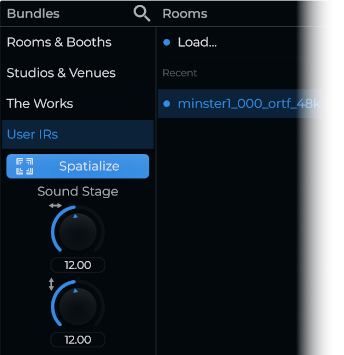
Load your own IRs for standard convolution, then use Spatialize to turn them into movable spaces with position-aware depth and direction cues.
Spatialize is an experimental feature that mimics the way impulse responses typically change with position. Available only with the full or beta versions of THeVerb.

Try it, test it, own it
Choose between standard and beta downloads.
The standard installer includes everything: the plugin, the complete 45-room library, and the manual. Without a license it runs in trial mode; activation unlocks the full product in place. Once activated on a given machine, the plugin does not require an internet connection (reactivation may occasionally be needed following updates or system changes). A full THeVerb license is a one-off purchase, no subscription.
By joining the beta programme you can access a free version of the plugin which expires every 90 days but is typically renewable. Of course, beta software may contain bugs and it can be withdrawn or updated without notice or support. It should not be relied on for critical projects.
| Trial | Beta | Full | |
|---|---|---|---|
| Cost | Free | Free1 |
One-time purchase
$99 |
| Rooms |
|
|
|
| Spatial features |
|
Yes | Yes |
| Your own IRs | Convolve only | Convolve + Spatialize | Convolve + Spatialize |
| Other features2 | Included | Included | Included |
| Builds | Stable release |
|
Stable release |
| License | Evaluation only |
|
|
| The deal |
|
|
Stable and supported |
- Beta places are limited, the license is limited-duration, and the programme may close at our discretion.
- Other features: presets, instance sync, visualizers, and the tone and time controls.
- Free updates (e.g., v1.1) and discounted upgrades (e.g., v2.0) - see terms.
- Beta software is unsuitable for professional or commercial work, expect changes, and constructive reports are appreciated and can earn rewards at our discretion.
You can belong to the beta programme and own the full product at the same time - run the stable version for the work that matters, and the beta for a look at what is coming.
Buying and licensing
- Buy once, keep it. A THeVerb® license is perpetual. No subscription, no rental, no planned obsolescence. We plan long-term support, free updates (e.g., v1.1), and discounted upgrades (e.g., v2.0).
- Three machines. Activate on up to three computers at the same time; deactivate a machine yourself from your account to free a slot. Need more, or lost access to a machine? Contact support and we will do what we can.
- Purchasing is handled by Paddle, our merchant of record, who take care of payment and applicable taxes. Your license key is normally sent by email directly after successful payment.
- 14-day refund period. If it is not for you, tell us within 14 days of purchase for a full refund. Full details in our refund policy.
System requirements
- Windows 10 or 11, 64-bit
- VST3-compatible host (DAW)
- Headphones recommended for auditioning spatial detail
- An internet connection is not normally required after activation, although reactivation may be required following some updates or system changes.
Media
THeVerb Version 0.7.3 - 1 Minute Demo - Spatial Detail (1080p)
THeVerb Version 0.7.3 - 2 Minute Demo - Spatial Detail with Bypass Comparison (1080p)
THeVerb Version 0.4.2 - 2 Minute Musical Demo - Five Instances, One Space (1080p)
THeVerb Version 0.4.2 - 1 Minute Demo - Rooms (1080p)